# B² Bool Bridge (Particle)

### Deposit: Bridge Assets to B² Mainnet <a href="#deposit-bridge-btc-to-satoshivm" id="deposit-bridge-btc-to-satoshivm"></a>

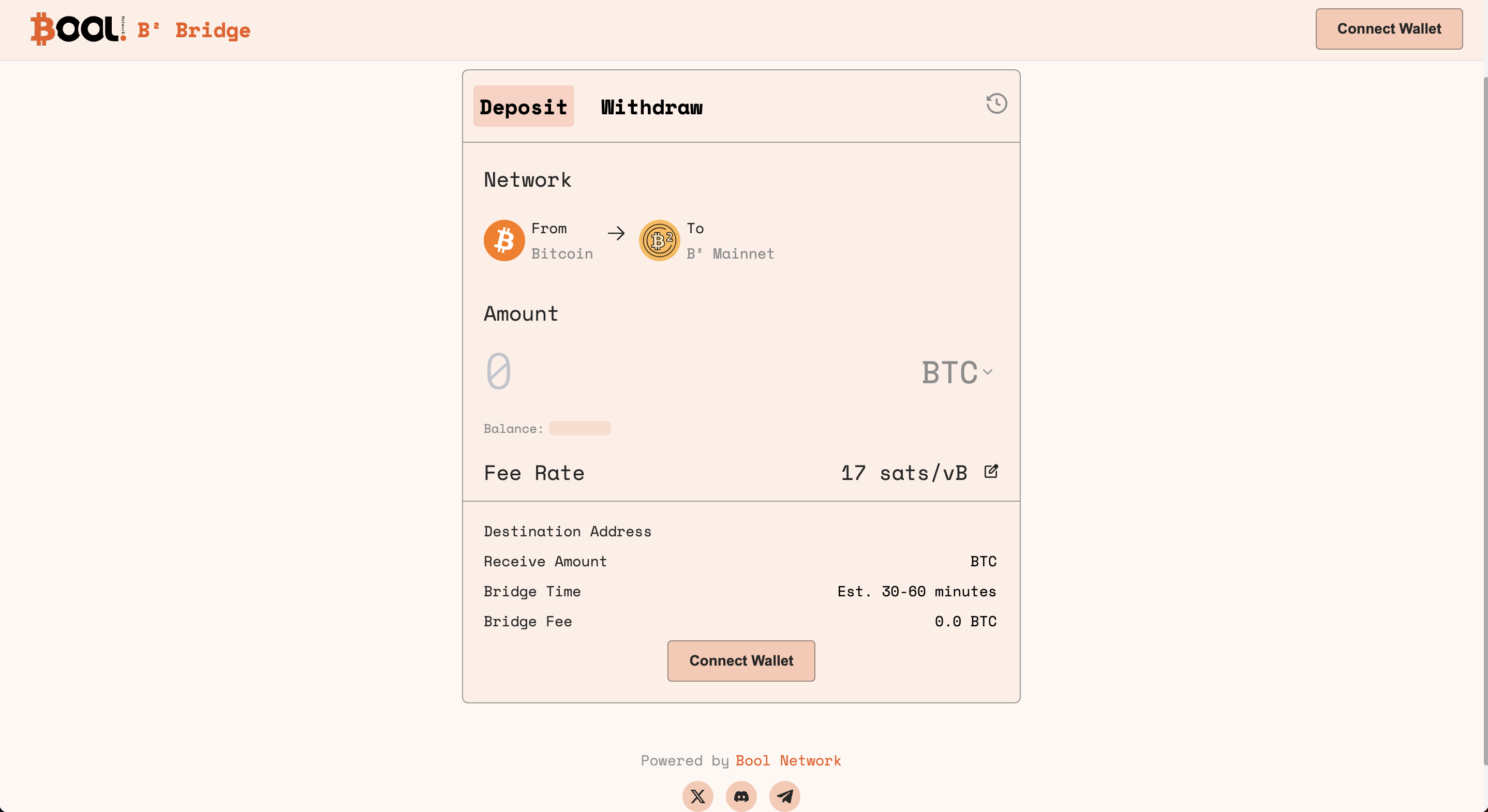
#### 1. Navigate to B² Bool Bridge <a href="#id-1.-navigate-to-the-official-btc-bridge" id="id-1.-navigate-to-the-official-btc-bridge"></a>

Access [B² Bool Bridge](https://bsquared.boolbridge.com/). This is where you initiate the deposit transaction regarding BTC or BRC-20 from Bitcoin to B² Mainnet.

<figure><img src="https://362083554-files.gitbook.io/~/files/v0/b/gitbook-x-prod.appspot.com/o/spaces%2FBPzEwQWF8yFmEtNtg2pz%2Fuploads%2FELRZVsStFVvGvn9he0HJ%2Fimage.png?alt=media&#x26;token=ed84393d-8fe7-4933-8d9e-771fe7639e4d" alt=""><figcaption></figcaption></figure>

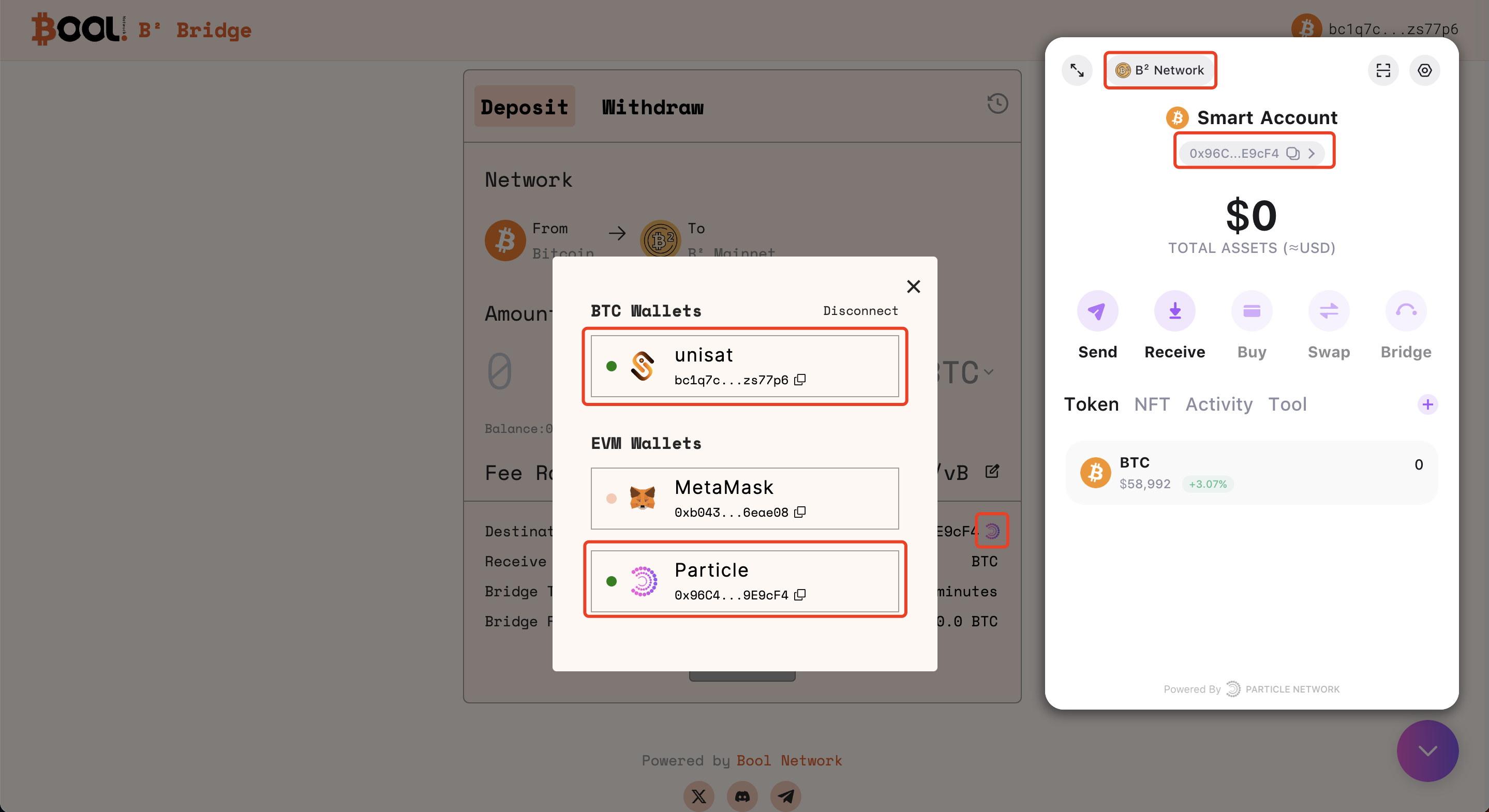
#### 2. Connect Wallets <a href="#id-2.-connect-both-wallets" id="id-2.-connect-both-wallets"></a>

On the Bridge interface, connect your UniSat wallet and use Particle to generate an AA account. Follow the prompts and confirm the wallet connections.

{% hint style="info" %}
Through the wallet connection, assets will be bridged to the Layer 2 <mark style="color:red;">**Particle Wallet address**</mark> (the default destination address).
{% endhint %}

<figure><img src="https://362083554-files.gitbook.io/~/files/v0/b/gitbook-x-prod.appspot.com/o/spaces%2FBPzEwQWF8yFmEtNtg2pz%2Fuploads%2FXAkLquBdzI8H1JCCDmkB%2Fimage.png?alt=media&#x26;token=94bf62b2-d5e7-46bb-9c09-188e83ea52da" alt=""><figcaption></figcaption></figure>

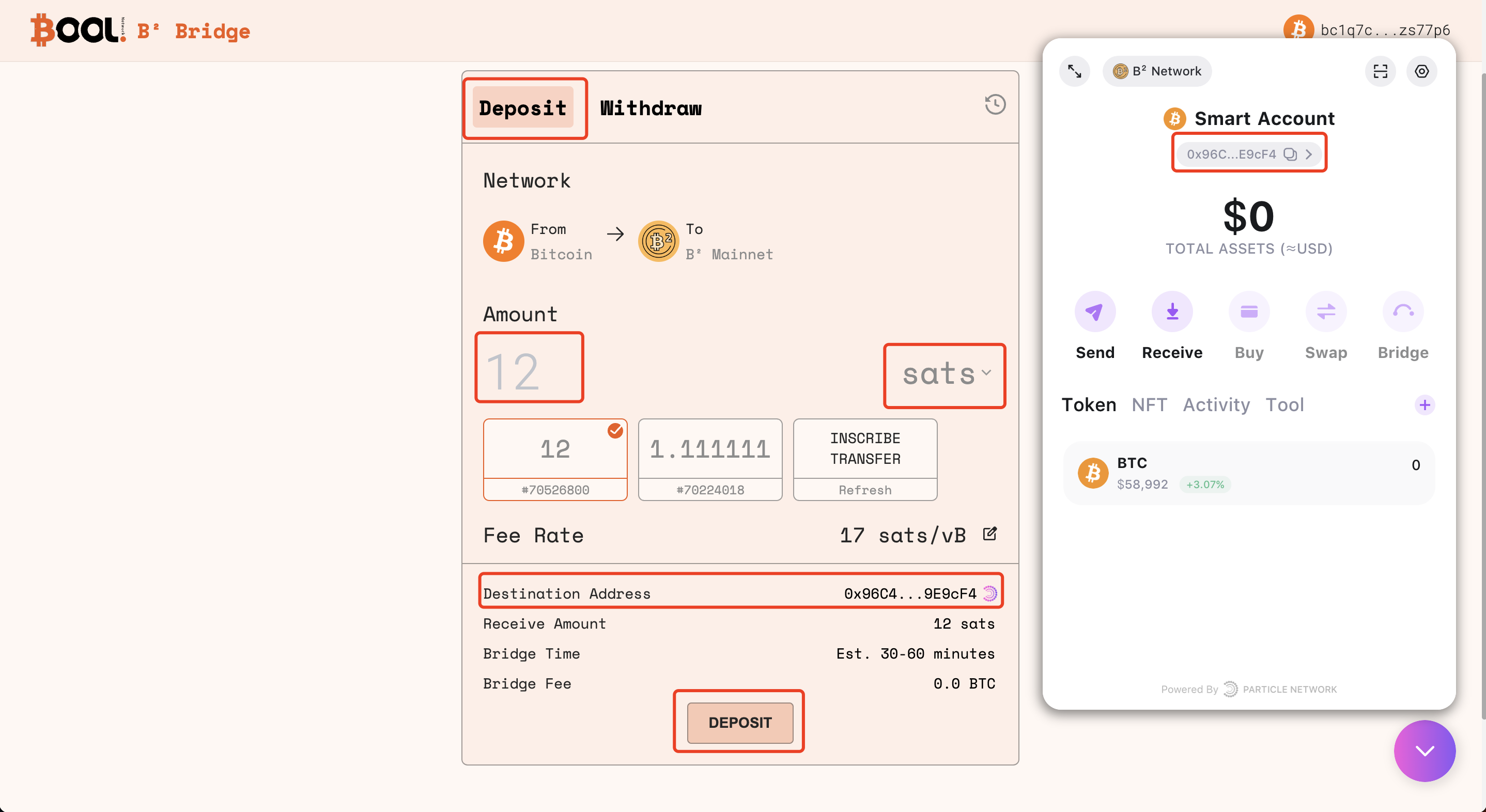
#### 3. Deposit on Bitcoin <a href="#id-3.-deposit-on-bitcoin" id="id-3.-deposit-on-bitcoin"></a>

Initiate the deposit transaction by specifying the amount of BTC or BRC-20 you intend to bridge from the Bitcoin to the B² Mainnet. Review and confirm the transaction details.

**3.1 Specify the amount of BTC or BRC-20 to deposit**

<figure><img src="https://362083554-files.gitbook.io/~/files/v0/b/gitbook-x-prod.appspot.com/o/spaces%2FBPzEwQWF8yFmEtNtg2pz%2Fuploads%2FJlwYnitJ0p2xnvBoxO0l%2Fimage.png?alt=media&#x26;token=0ffd4dfe-8b2f-4040-9d9d-5ddbed80413d" alt=""><figcaption></figcaption></figure>

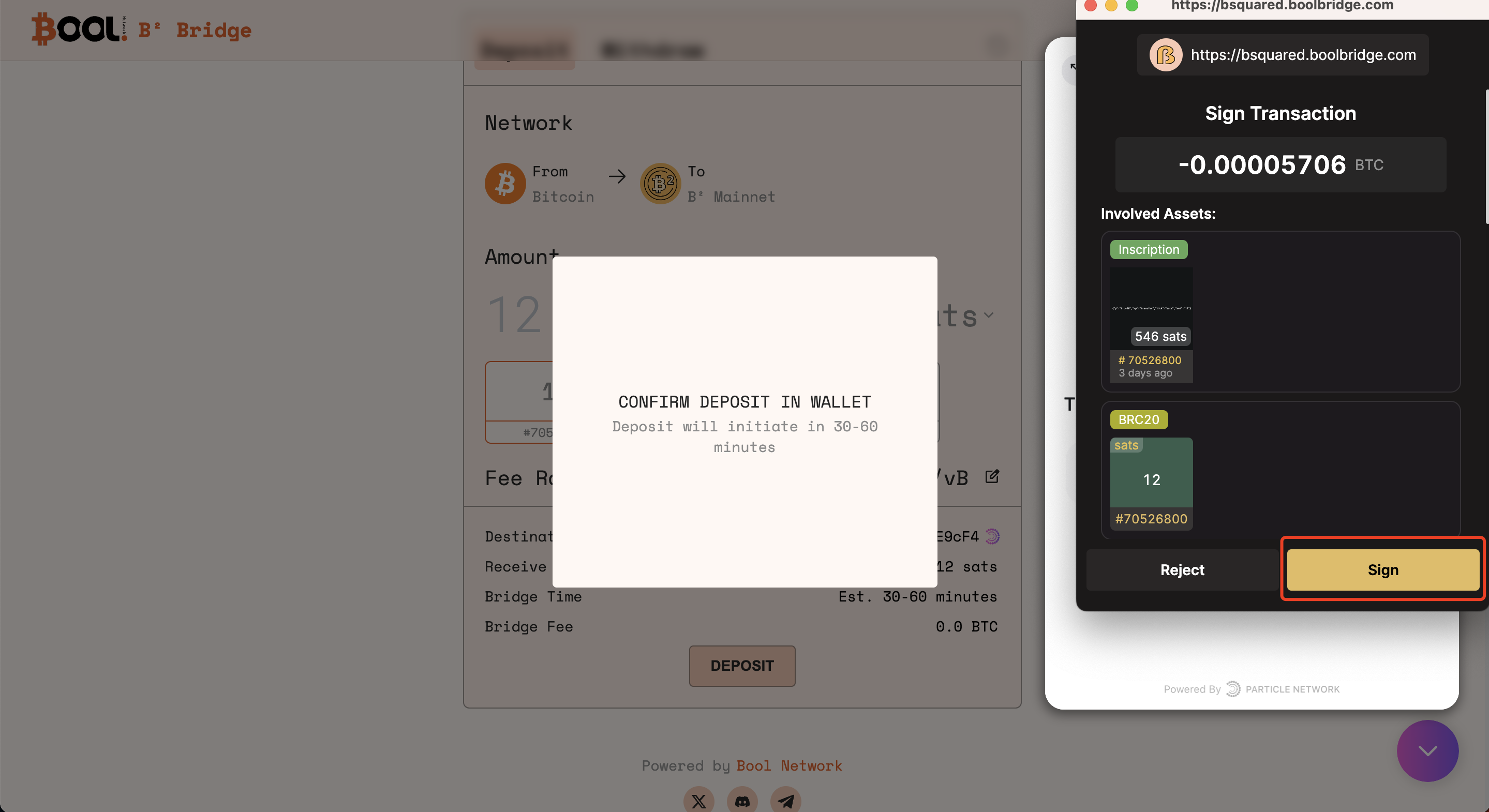
**3.2 Confirm the deposit transaction in UniSat**

<figure><img src="https://362083554-files.gitbook.io/~/files/v0/b/gitbook-x-prod.appspot.com/o/spaces%2FBPzEwQWF8yFmEtNtg2pz%2Fuploads%2FZLMc355gMJ8f5QoyeLSx%2Fimage.png?alt=media&#x26;token=fc95828a-01a5-42af-a9e3-38842b42867f" alt=""><figcaption></figcaption></figure>

#### 4. Monitor the bridging progress on the History page <a href="#id-4.-monitor-progress-on-the-history-page" id="id-4.-monitor-progress-on-the-history-page"></a>

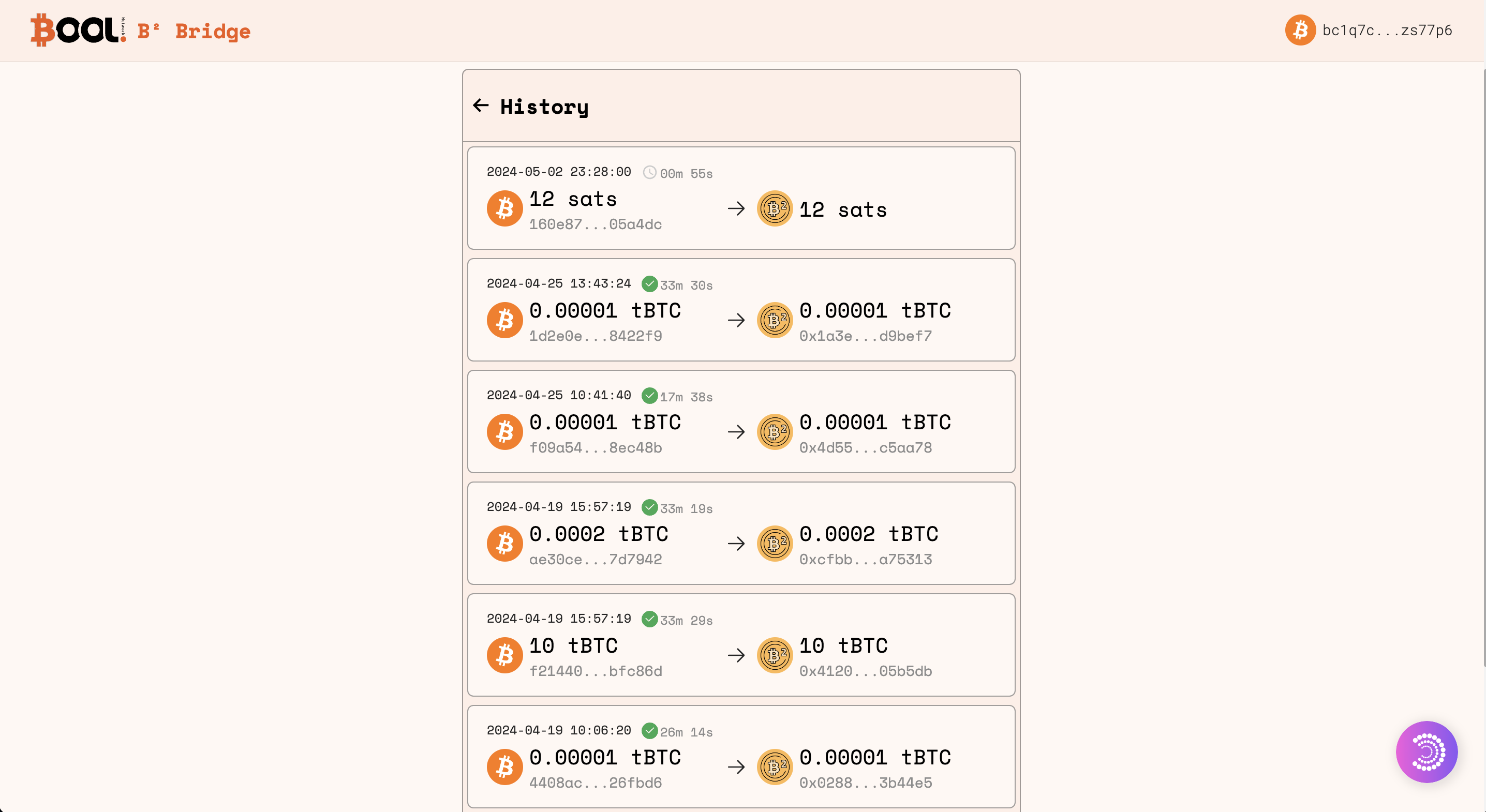
Once the deposit is initiated, monitor the progress of your transaction on the History page of the B² Bool Bridge. This section provides real-time tracks on the status of your cross-chain transactions.

<figure><img src="https://362083554-files.gitbook.io/~/files/v0/b/gitbook-x-prod.appspot.com/o/spaces%2FBPzEwQWF8yFmEtNtg2pz%2Fuploads%2FmqLtsVse51FkAD0NOBJr%2Fimage.png?alt=media&#x26;token=eb0f9574-39f2-4ffd-817b-45ee675d3616" alt=""><figcaption></figcaption></figure>

#### 5. Check destination address balance via B² Mainnet Explorer <a href="#id-6.-check-destination-address-balance-via-satoshivm-explorer" id="id-6.-check-destination-address-balance-via-satoshivm-explorer"></a>

When the deposit is completed, check the balance of the destination address on [B² Mainnet Explorer](https://explorer.bsquared.network/). Confirm that the bridged BTC or BRC-20 is reflected in your B² Mainnet address.

### Withdraw: Bridge Assets from B² Mainnet to Bitcoin <a href="#deposit-bridge-btc-to-satoshivm" id="deposit-bridge-btc-to-satoshivm"></a>

#### 1. Navigate to the B² Bool Bridge <a href="#id-1.-navigate-to-the-official-btc-bridge" id="id-1.-navigate-to-the-official-btc-bridge"></a>

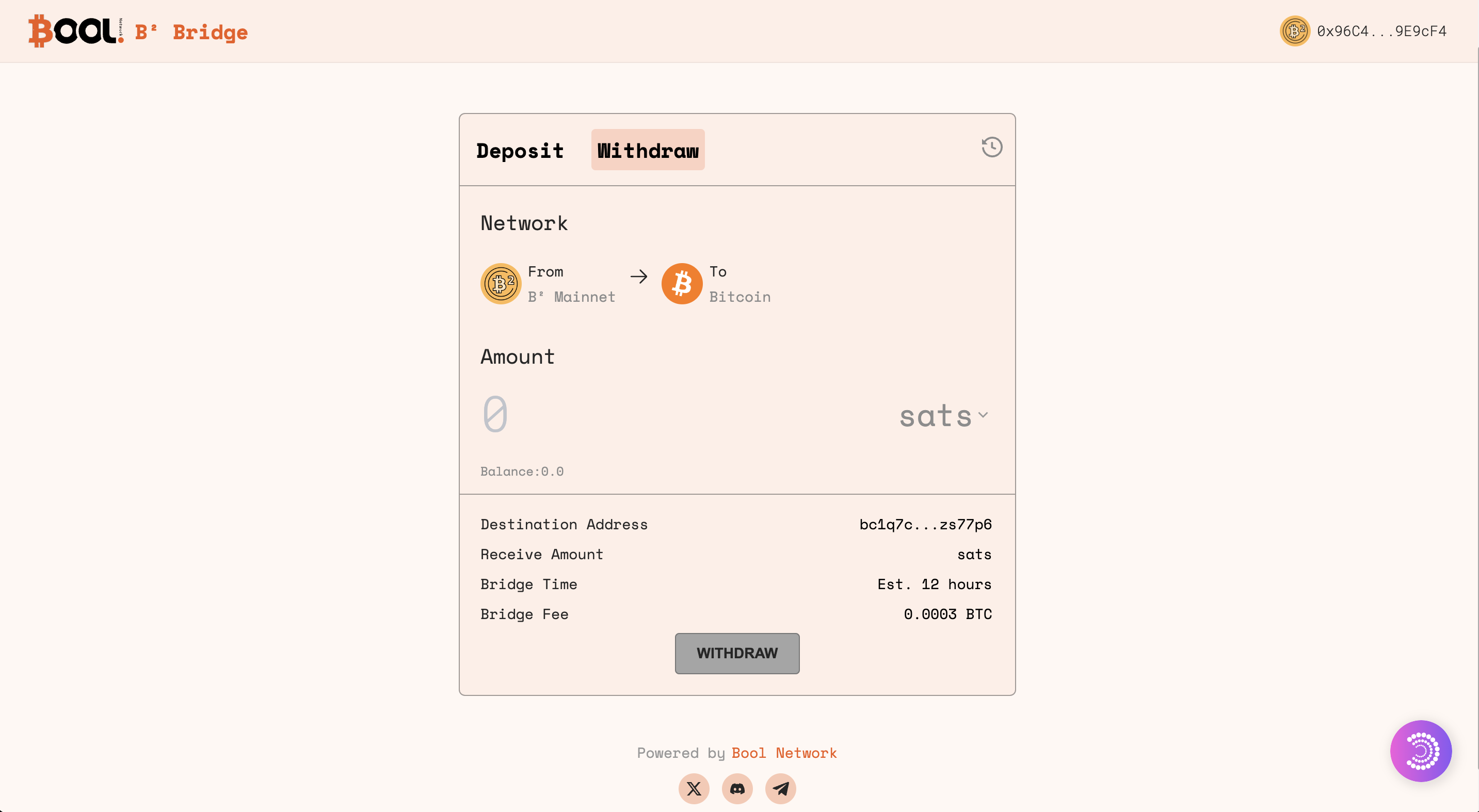
Access [B² Bool Bridge](https://bsquared.boolbridge.com/). This is where you'll initiate the withdrawal transaction regarding BTC or BRC-20 from B² Mainnet to Bitcoin.

<figure><img src="https://362083554-files.gitbook.io/~/files/v0/b/gitbook-x-prod.appspot.com/o/spaces%2FBPzEwQWF8yFmEtNtg2pz%2Fuploads%2F9ERaCOTRU5IkbNwfilvQ%2Fimage.png?alt=media&#x26;token=6ca1629c-24e5-4fb4-beaf-becb06f4f8ec" alt=""><figcaption></figcaption></figure>

#### 2. Connect Wallets <a href="#id-2.-connect-both-wallets" id="id-2.-connect-both-wallets"></a>

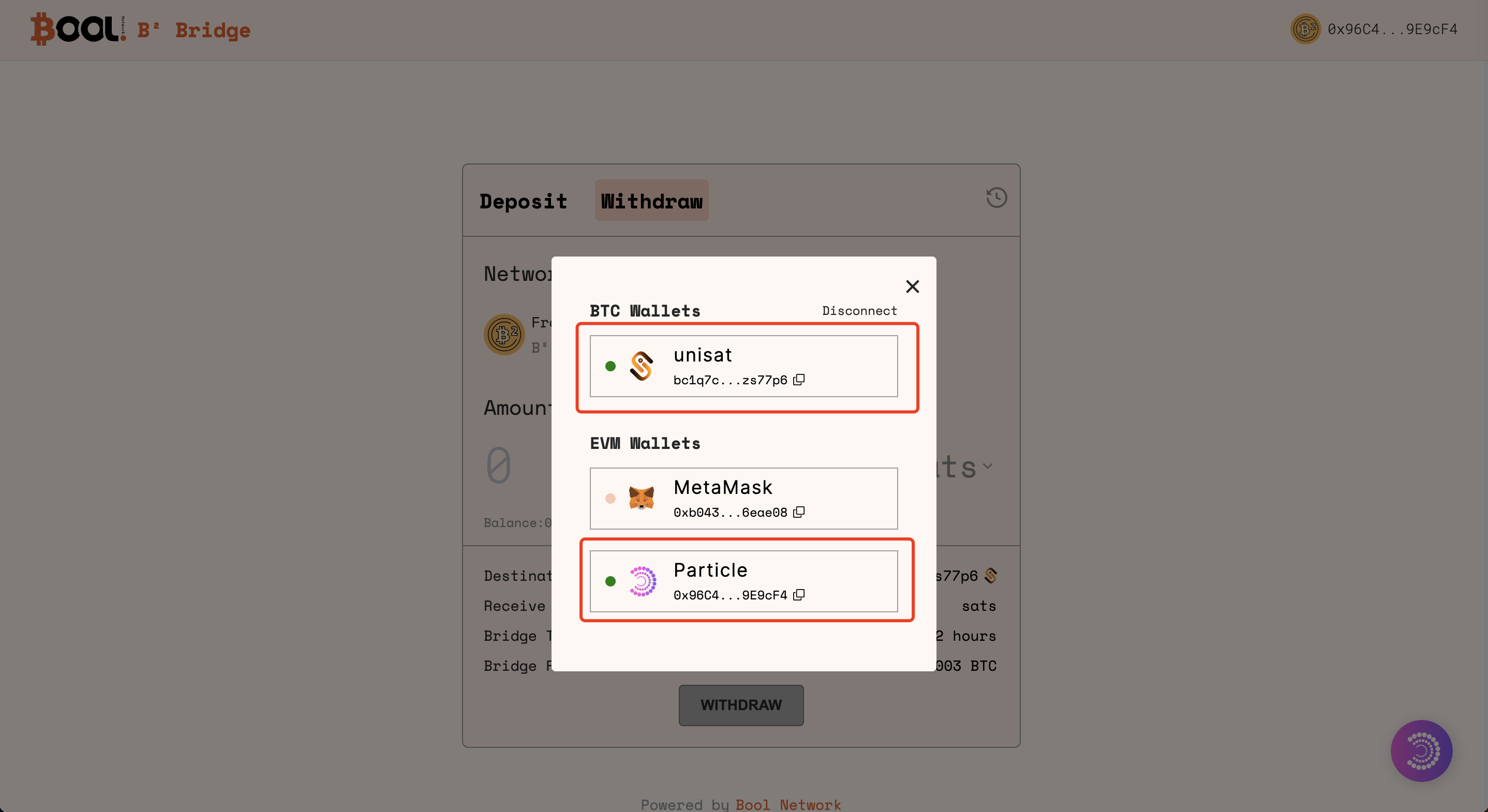
On the Bridge interface, connect your UniSat wallet. Follow the prompts and confirm the wallet connections.

{% hint style="info" %}
Through the wallet connection, assets will be bridged from the Layer 2 <mark style="color:red;">**Particle address**</mark> (the source address) to your Unisat address on Bitcoin.
{% endhint %}

<figure><img src="https://362083554-files.gitbook.io/~/files/v0/b/gitbook-x-prod.appspot.com/o/spaces%2FBPzEwQWF8yFmEtNtg2pz%2Fuploads%2FVbECa1CRKeqq2n2ZUxuS%2Fimage.png?alt=media&#x26;token=a751058d-a3a4-4b7a-8a62-6137723649fa" alt=""><figcaption></figcaption></figure>

#### 3. Withdraw from B² <a href="#id-3.-deposit-on-bitcoin" id="id-3.-deposit-on-bitcoin"></a>

{% hint style="warning" %}
Only BRC-20 withdrawals are available at the moment.
{% endhint %}

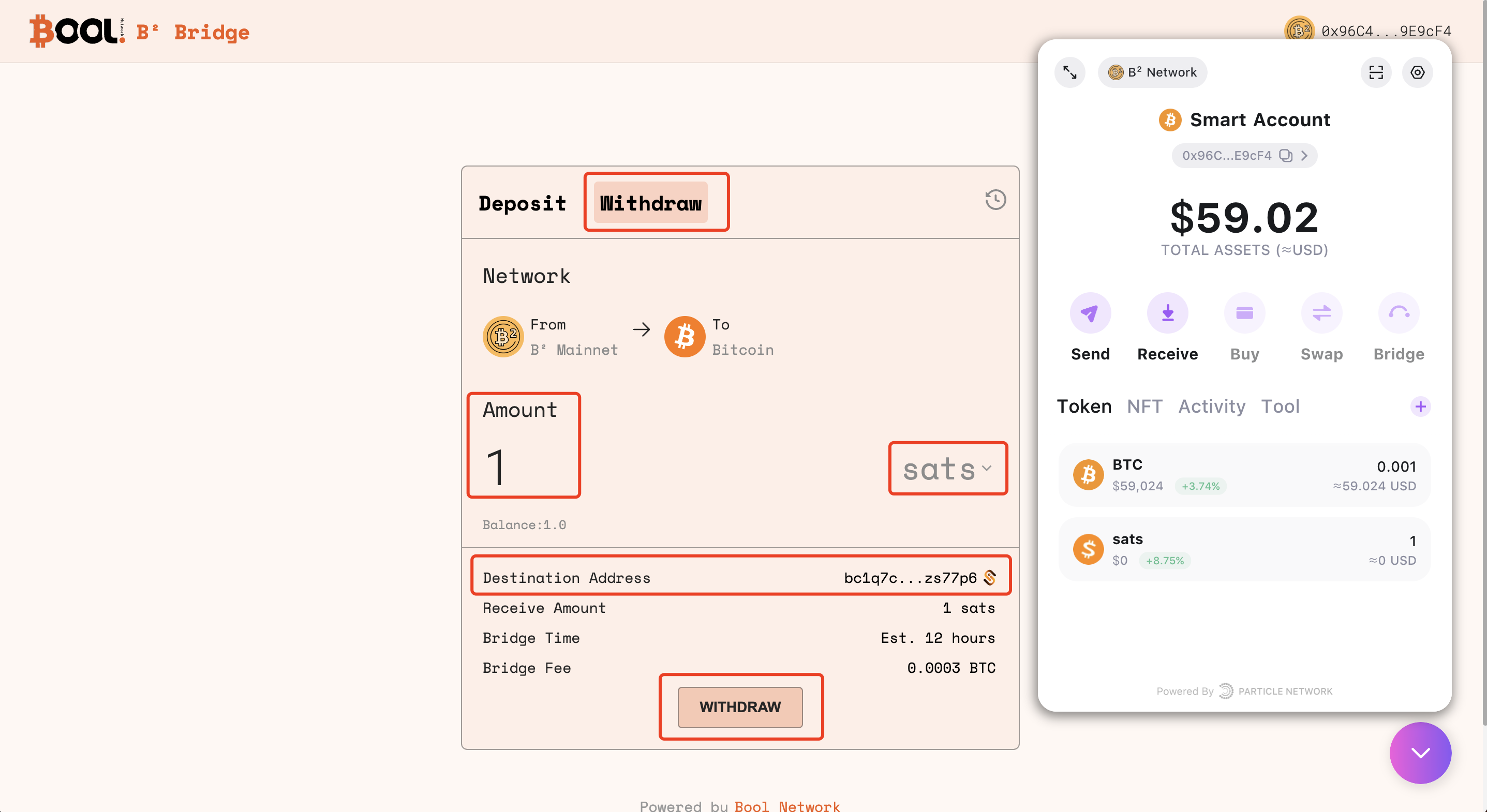
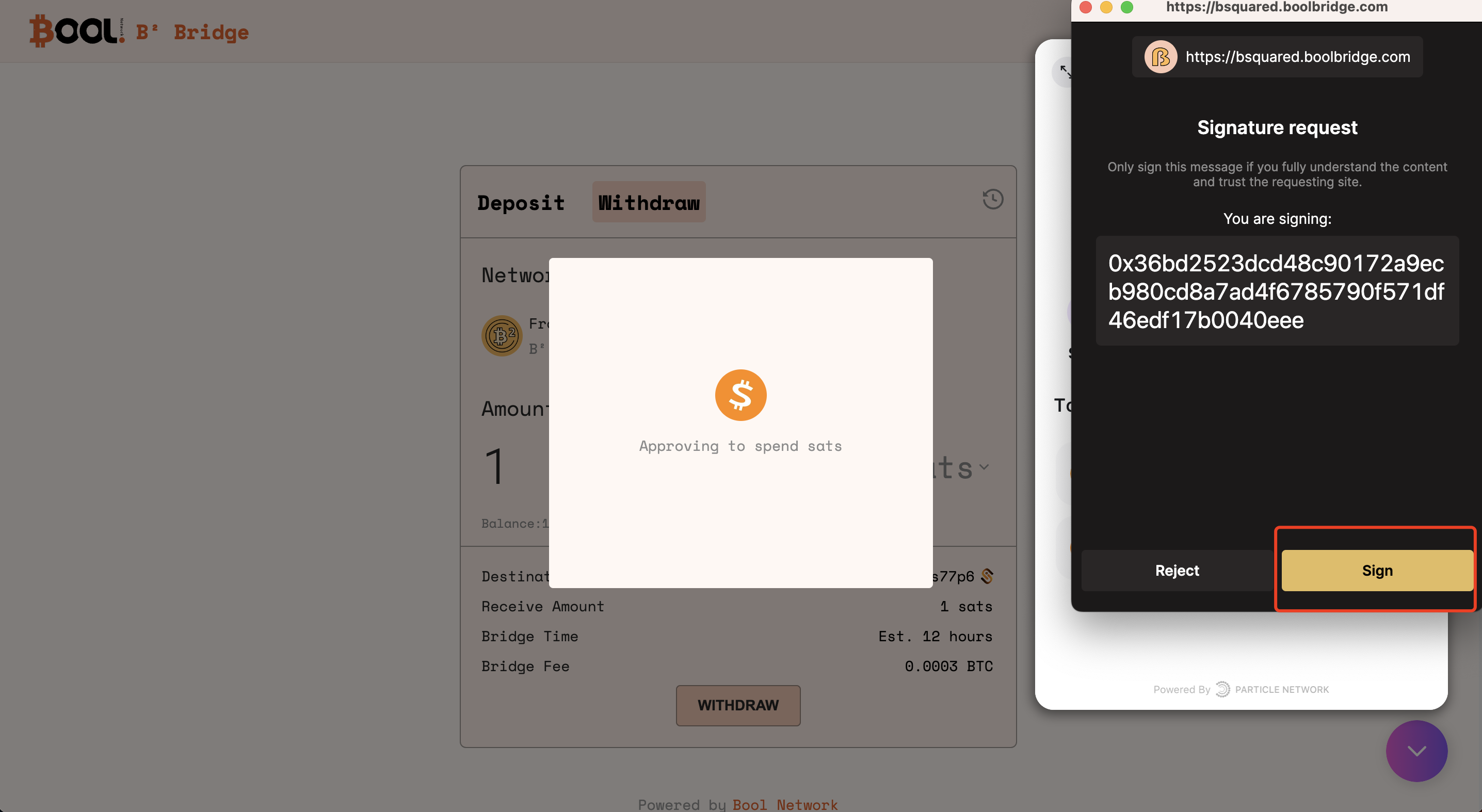
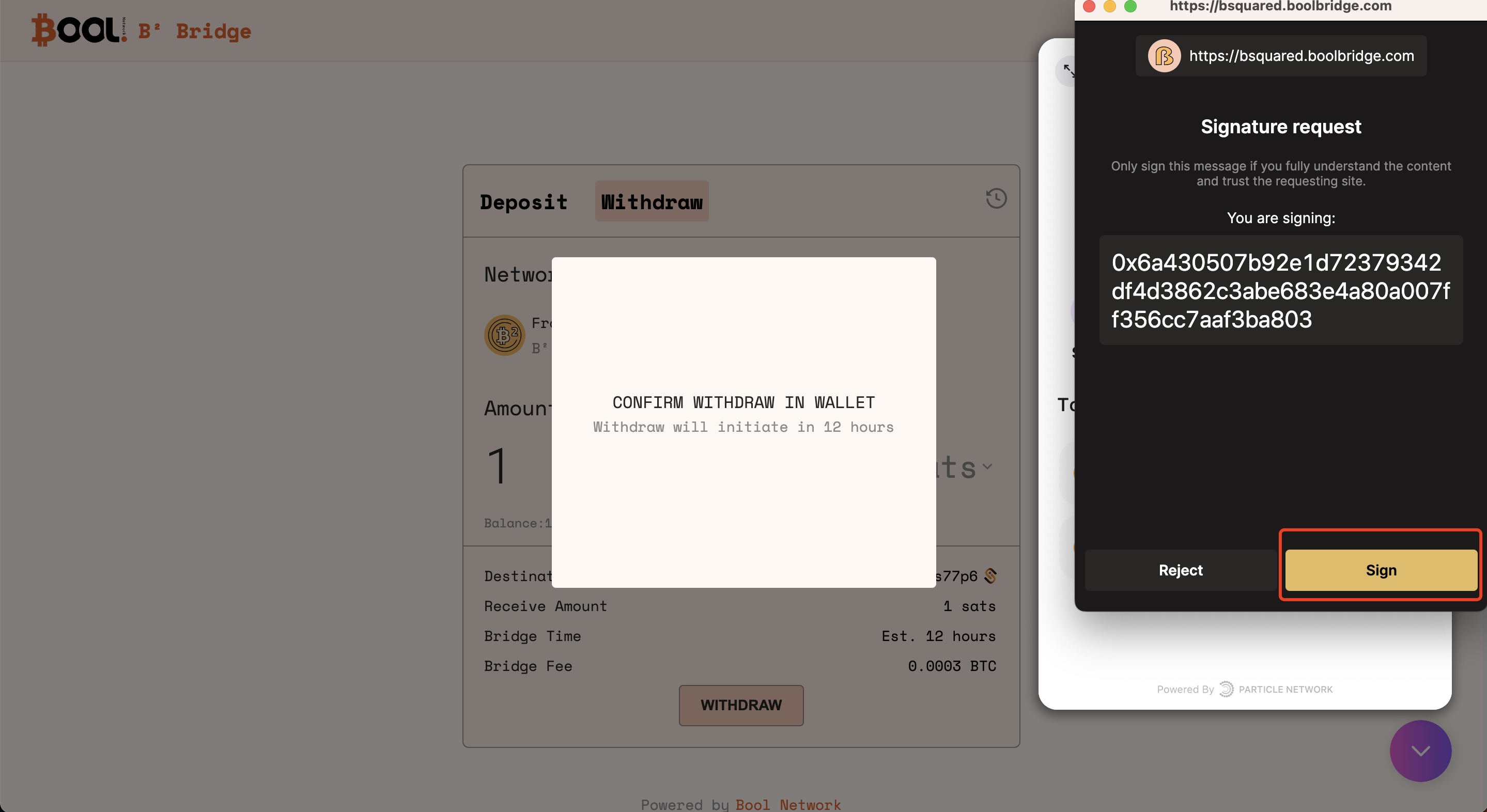
Initiate the withdrawal transaction by specifying the amount of BTC or BRC-20 you intend to bridge from B² Mainnet to Bitcoin. Review and confirm the transaction details.

**3.1 Specify the amount of BRC-20 to withdraw**

<figure><img src="https://362083554-files.gitbook.io/~/files/v0/b/gitbook-x-prod.appspot.com/o/spaces%2FBPzEwQWF8yFmEtNtg2pz%2Fuploads%2F8yU3GtC8h08k31lJ8GeJ%2Fimage.png?alt=media&#x26;token=2603c7c1-7ed1-487f-8127-60f931e1efe1" alt=""><figcaption></figcaption></figure>

**3.2 Confirm the withdraw transaction in Unisat**

<figure><img src="https://362083554-files.gitbook.io/~/files/v0/b/gitbook-x-prod.appspot.com/o/spaces%2FBPzEwQWF8yFmEtNtg2pz%2Fuploads%2FOsu7UjD7zEo9xpUWdrEO%2Fimage.png?alt=media&#x26;token=2c72579d-f4c2-4762-8c6a-3c3aabf68466" alt=""><figcaption></figcaption></figure>

<figure><img src="https://362083554-files.gitbook.io/~/files/v0/b/gitbook-x-prod.appspot.com/o/spaces%2FBPzEwQWF8yFmEtNtg2pz%2Fuploads%2FMcFxbrNp0Zxlbl9cTc8q%2Fimage.png?alt=media&#x26;token=70d29a58-480a-49de-8164-d992eaf88754" alt=""><figcaption></figcaption></figure>

#### 4. Monitor progress on the History page <a href="#id-4.-monitor-progress-on-the-history-page" id="id-4.-monitor-progress-on-the-history-page"></a>

Once the withdrawal is initiated, monitor the progress of your transactions on the History page of B² Bool Bridge. This section provides real-time tracks on the status of your cross-chain transactions.

#### 5. Check assets balance in Unisat Wallet <a href="#id-6.-check-destination-address-balance-via-satoshivm-explorer" id="id-6.-check-destination-address-balance-via-satoshivm-explorer"></a>

When the deposit is completed, check the balance of the assets in Unisat Wallet.