> For the complete documentation index, see [llms.txt](https://docs.bool.network/llms.txt). Markdown versions of documentation pages are available by appending `.md` to page URLs; this page is available as [Markdown](https://docs.bool.network/user-guide/beta-testnet/node-management/for-dhc-voter.md).
# For DHC Voter
Any tBOL holders can participate in the voting progress of DHC nodes to share the staking rewards by delegating their tBOL.
### Vote Nodes
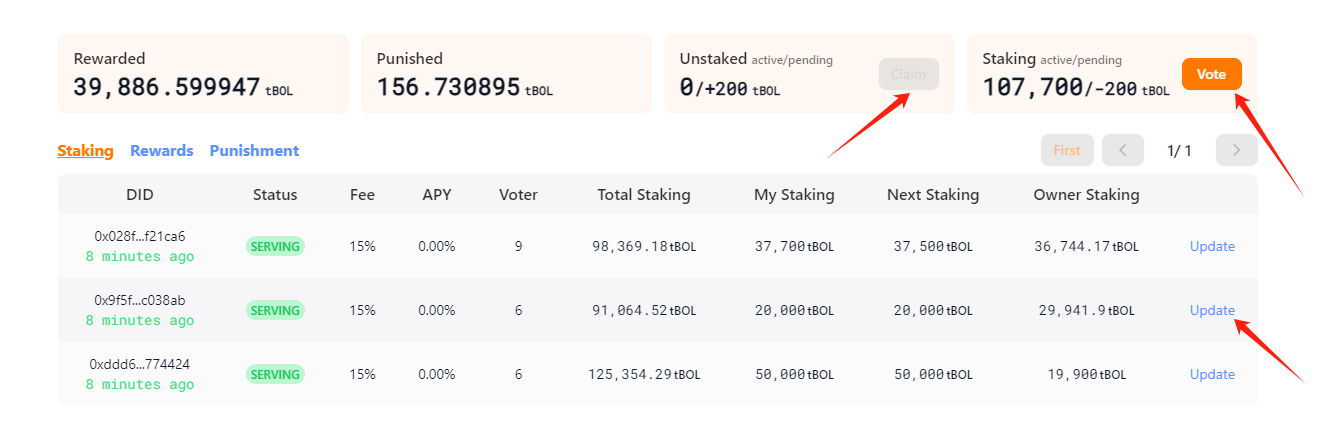
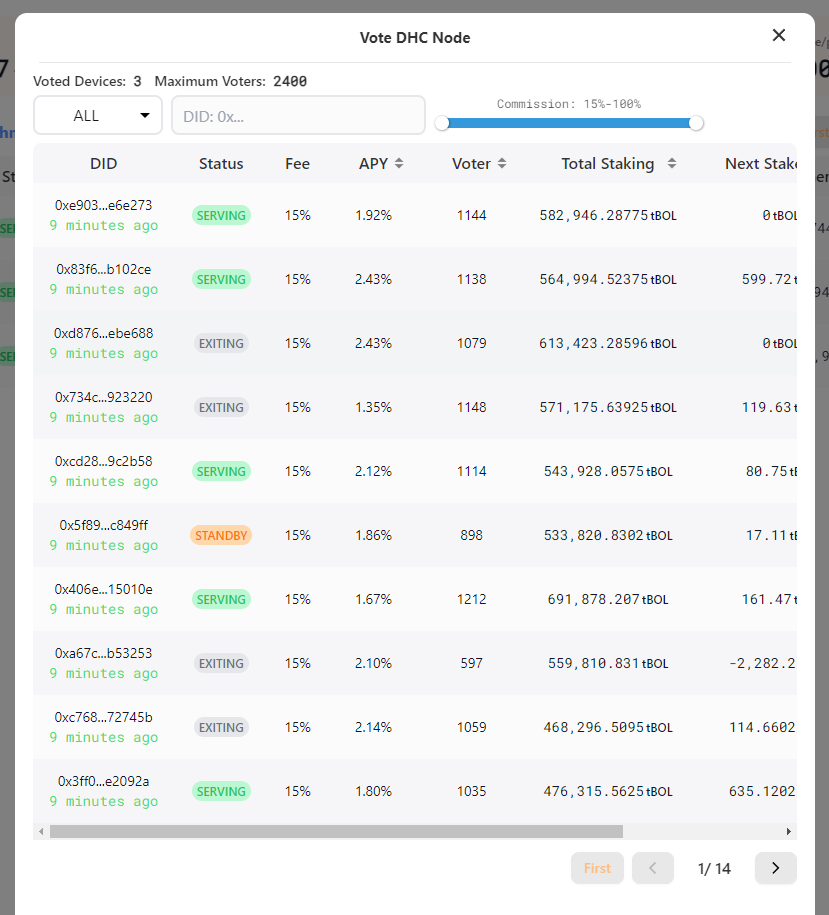
Click on the "Vote" button on the right of the statistics cards, select the DHC nodes that need to participate (single selection only), input the quantity of tBOL delegating on the node, and submit a voting transaction.
Please be aware of the voting limits below.
* The maximum quantity for a single DHC node is **3000 voters**
* The minimum voting quantity of each DHC node is **200 tBOL**
Note: Only the DHC nodes selected on-chain as the committee nodes will receive the era income and the voters will receive tBOL rewards depending on their staking rate. Choose wisely if you want to farm the maximum return from your staking.
Here are some useful tips for you:
* "Standby": Consider it as a community support option.
* "Service": It is a wise option for all new voters as you can start farming ASAP from the next rewards era.
* "Exiting": Forget about it. It is a bad option if you are not an Owner.
### Change Staking
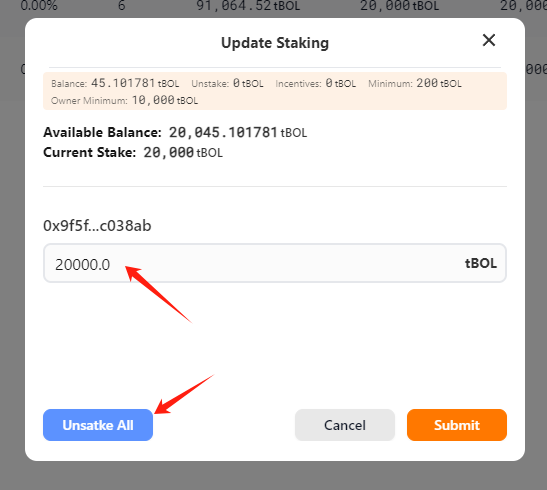
Click the "Update" button on the list, then change the staking amount down or up depending on your needs and submit a transaction on chain.
Click the "Unstake All" button to unstake all your staking amount from the node.
Note: the changes will only take effect on-chain until the next era. Please be patient for waiting up to about **60 minutes** if you choose to raise the staking amount. However, if you choose to reduce the staking amount, you should to claim it manually after **24 hours**.
### Rewards Distribution
In each reward era, the staking rewards will be given automatically to the wallet address, depending on the share percentage of the total staking.